Web design for social media integration plays a transformative role in bridging the gap between a brand’s static digital presence and its active online community. When websites and social platforms operate in silos, businesses miss valuable opportunities to capture leads, encourage user engagement, and build lasting relationships with their audience. By thoughtfully blending interactive social elements into a website’s architecture, designers can create a cohesive digital ecosystem where visitors move effortlessly between browsing products, consuming long-form content, and interacting with brand channels.
Why Seamless Social Media Integration Matters
A modern website should never act as a digital dead end. Users expect dynamic, real-time updates and multiple touchpoints when evaluating a business or creator. Integrating social functionality into your site provides immediate social proof, demonstrates brand activity, and extends the shelf life of the content you publish across different networks.
When done correctly, integration helps accomplish several core marketing and design objectives:
Increased User Engagement: Dynamic social feeds and interactive sharing tools encourage visitors to stay on-site longer and interact directly with your content.
Strengthened Social Proof: Displaying user-generated content, reviews, or live follower counts validates your credibility without requiring aggressive sales copy.
Multi-Channel Growth: Turning website visitors into social followers creates long-term avenues for remarketing and communication.
Enhanced SEO Signals: Increased social sharing drives referral traffic, improves brand mentions, and boosts dwell time, indirectly supporting organic search performance.
Core Strategies of Web Design for Social Media
Achieving balance between brand aesthetics and social functionality requires intentional planning. Cluttering a layout with generic, brightly colored share buttons can distract users from primary calls to action. The following techniques demonstrate how to incorporate social elements without sacrificing clean web design.
1. Strategic and Minimalist Icon Placement
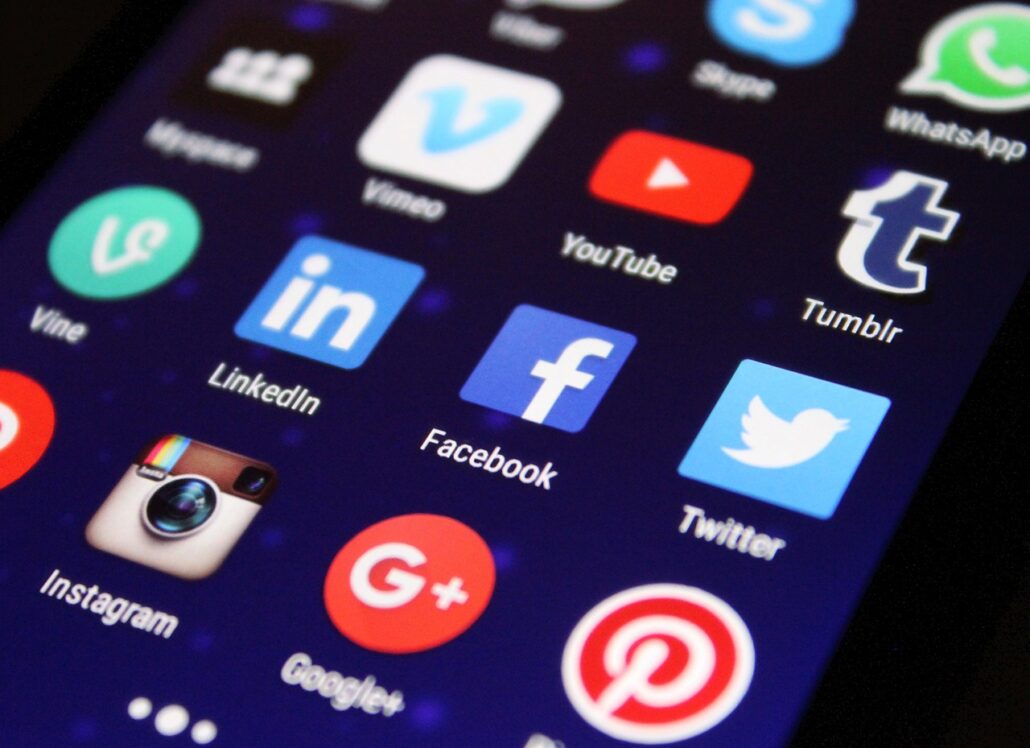
Placing social media icons in prominent positions—such as the main header, sticky navigation bars, or footers—is standard practice, but execution matters. Instead of using default, mismatched third-party widgets, customize icon styles to complement your site’s color palette and typography.
Position high-priority conversion links in visible areas while keeping outgoing social links subtle. For example, placing muted monochrome icons in the footer or a slide-out navigation menu allows users to find your social channels without pulling them away from key conversion funnels prematurely.
2. Curating Live Social Feeds
Embedding a live Instagram, TikTok, or LinkedIn feed introduces fresh, automated visual content to your website. This approach works exceptionally well for lifestyle brands, event organizers, and creative agencies.
To ensure your embedded feeds enhance rather than detract from the user experience:
Curate Selectively: Use filtering tools to display only specific hashtags, top-performing posts, or approved user-generated content.
Maintain Responsive Layouts: Ensure grid and carousel embeds adapt smoothly across mobile, tablet, and desktop viewports.
Prioritize Performance: Lazy-load embedded feeds so that heavy scripts and media files do not slow down initial page rendering.
3. Streamlined Social Sharing and Micro-Interactions
Encourage readers to distribute your articles and resources by integrating intuitive sharing tools. Rather than overwhelming users with dozens of platform options, highlight two or three channels that align directly with your target demographic (e.g., LinkedIn and X for B2B; Pinterest and Facebook for lifestyle blogs).
Consider using subtle micro-interactions, such as floating share bars that appear only when a user scrolls through a post, or inline “click-to-tweet” quote boxes. These interactive elements grab attention naturally without disrupting the reading flow.
4. Implementing Frictionless Social Logins
For e-commerce stores, community forums, and membership platforms, account creation can be a significant point of friction. Allowing users to register or sign in using their existing Google, Apple, or Facebook accounts drastically cuts down registration time. This convenience directly translates into higher conversion rates and reduced form abandonment.
Technical Best Practices for Social Media Integration
Visual harmony is only half the equation; technical optimization ensures that your integration functions reliably behind the scenes.
Open Graph and Meta Tag Optimization
When users share links from your website to social platforms, the generated preview determines whether their followers will click through. Implementing Open Graph (OG) tags and Twitter Cards ensures that your shared links automatically display optimized titles, compelling meta descriptions, and high-resolution preview images. Use dedicated plugins or CMS custom fields to tailor these preview cards specifically for each page.
Preserving Page Speed and Security
Third-party social widgets often load external JavaScript libraries that can severely impact loading times and introduce security vulnerabilities. To keep your website running efficiently:
Host social icon SVGs locally rather than using bloated icon fonts.
Use asynchronous loading for external sharing scripts.
Regularly audit third-party API connections to prevent broken embed containers or slow server responses from degrading performance.
Unifying Your Brand Across All Touchpoints
Successful web design for social media creates a consistent visual and functional narrative. By matching color schemes, typography, and interactive behaviors between your website and your social profiles, you build a recognizable identity that fosters trust. When social functionality is treated as an integral part of layout and user journey planning—rather than an afterthought—your website becomes a vibrant, interconnected hub that drives sustained digital growth.