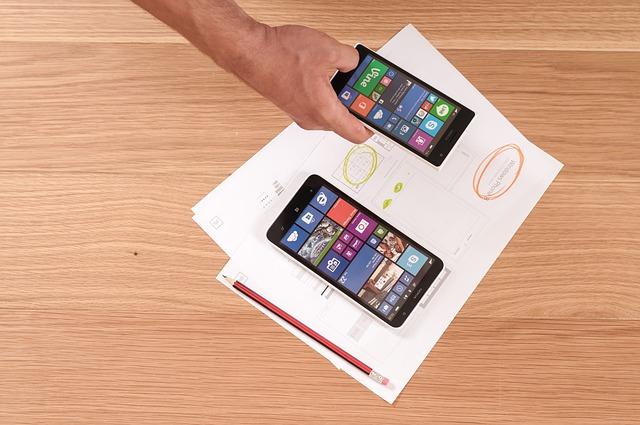

Interactive design has transformed from a mere visual embellishment into the operational backbone of modern digital experiences. In a landscape where attention spans are measured in seconds, static interfaces struggle to capture and retain audience interest. By creating meaningful touchpoints between humans and software, interactive principles allow users to feel in control, invested, and rewarded at every step of their journey. Crafting these dynamic moments is not just about adding animations or flashy widgets; it requires a deliberate user experience framework that turns passive visitors into active participants.
Why Interactive Design is Crucial for Modern User Engagement
When users interact with a digital platform, they expect intuitive responsiveness. Static pages often fail because they create an emotional disconnect, making the experience feel transactional and flat. Thoughtfully implemented interactive design bridges this gap by mimicking real-world cause-and-effect relationships, providing immediate feedback for every action taken.
High user engagement relies heavily on cognitive ease and intrinsic motivation. When interfaces respond intelligently to inputs—whether through subtle hover effects, progressive disclosure, or dynamic transitions—users experience reduced friction. This seamless flow keeps them focused on their primary objectives, whether completing a checkout process, learning a new tool, or exploring content. Ultimately, well-crafted interactions lower bounce rates, increase session durations, and cultivate brand loyalty.
Core UX Design Principles Driving Successful Interaction
To implement interactions that resonate with users, designers must anchor their work in fundamental UX design principles. Without a strong foundation, interactions risk becoming distracting gimmicks rather than functional enhancements.
Immediate Feedback Loops: Every digital action requires an acknowledgment. When a user clicks a button, swipes a card, or submits a form, visual or haptic feedback confirms that the system recognized their input.
Clear Affordances and Signifiers: Users should never have to guess what is interactive. Design cues—such as elevation, color shifts, and cursor changes—signal interactive possibilities instantly.
Progressive Disclosure: Overloading a screen with options induces cognitive fatigue. Presenting information in stages keeps the interface clean while allowing curious users to dive deeper on demand.
Consistency Across Platforms: An interaction pattern established on the homepage must function identically across all subpages and mobile environments to prevent user disorientation.
Proven Interactive Design Strategies to Implement Today
Transforming a static product into an engaging digital environment requires practical, user-centric techniques. Here are three actionable strategies to elevate your interface.
1. Purposeful Micro-Interactions
Micro-interactions are subtle design moments that perform a single task while delighting the user. Examples include an animated toggle switch, a progress bar that changes color as a password strengthens, or a playful checkmark upon task completion. These small details provide clarity, reassure users of their progress, and inject personality into an interface without disrupting task completion.
2. Gamification and Dynamic Feedback
Integrating gamified elements encourages exploratory behavior. Features such as interactive progress trackers, milestone badges, and live data visualizations motivate users to continue interacting. For instance, an onboarding flow with an interactive checklist significantly outperforms a long, static instructional guide because it offers clear goals and immediate gratification.
3. Contextual and Conversational UI
Modern users appreciate interfaces that adapt to their specific context. Implementing predictive search inputs, conversational chatbots, and personalized content filters turns a generic platform into a tailored tool. When a system anticipates a user’s next move and surfaces relevant options in real time, the entire journey feels collaborative rather than one-sided.
Measuring the Impact on User Engagement
Building an interactive interface requires continuous iteration guided by data. To ensure that your interactive elements are delivering tangible value rather than introducing clutter, monitor key behavioral metrics:
Task Completion Rate (TCR): Measures how easily users can achieve their goals when interacting with key features.
Time on Task: Identifies whether interactive elements speed up workflows or cause confusion and delays.
Interaction Heatmaps: Visual tools like click maps and scroll maps show precisely where users engage and where they ignore interactive prompts.
Event Tracking: Tracking specific button clicks, video plays, and widget interactions provides concrete data on which features drive the most value.
Elevating Experiences Through Thoughtful Interaction
Creating exceptional digital products requires balancing visual appeal with purposeful functionality. By prioritizing clear feedback, reducing cognitive friction, and deploying targeted micro-interactions, you turn routine browsing into an intuitive dialogue. When executed with empathy and precision, interactive design becomes your most powerful lever for driving sustained user engagement and building long-term digital success.